


Vocabulary - Learn words daily
4.51.96K Reviews
App Specs
- Version
- Varies with Device
- Updated On
- License
- Free
- Downloads
- 5,000,000+
- Developer
- Monkey Taps LLC
- Categories
- Education
- Platform
- Android, iOS
Screenshots


 Analysis by AppCompare
I like vocabulary tools best when they make it easy to return tomorrow, not when they promise a dramatic transformation overnight. Vocabulary - Learn words daily takes a small-step approach: it gives word learning a place in an ordinary day, so I can fit a brief session between other tasks rather than setting aside a full study period. That makes it appealing if you enjoy language but struggle to keep a larger course going.
It is an education app from Monkey Taps LLC, and its focus is deliberately narrow: building familiarity with words through regular contact. The app is free to try, while optional in-app purchases range from $2.99 to $149.99 per item, so I’d check the purchase details before committing to anything paid. It is rated for Everyone, which makes it broadly approachable, though a child using a phone may still need an adult’s help understanding purchases and managing notifications.
Small sessions, with a clear purpose
The daily format suits a specific kind of learner: someone who wants a nudge to notice and remember words, rather than a complete language curriculum. A short definition-and-quiz routine can give a new term a first foothold, but vocabulary grows more reliably when you also use words in your own writing and conversation. I’d treat the app as a useful prompt, not as a replacement for reading, a dictionary, or a structured course.
For example, I might open it while waiting for a meeting to start, read the day’s entry, then try to use the word in a message or note later. That second step matters. Saving a word is convenient, but revisiting it in a sentence I care about makes it easier to connect the definition with a real situation. If a word feels obscure or hard to apply, I’d rather spend a moment finding a familiar context than race through several entries just to keep a streak alive.
Readability and navigation
The original review’s impression of a clean, easy-to-follow interface is a useful part of the app’s appeal: there is little to learn before getting to the vocabulary itself. Definitions, pronunciation guidance, and example sentences put several kinds of information together, which can help when a word is unfamiliar in both sound and meaning. For a learner who benefits from seeing and hearing a term in context, that combination is more helpful than a bare word-and-definition card.
Still, “simple” is not the same as equally comfortable for everyone. A learner who needs larger text, strong contrast, screen-reader-friendly controls, or a particular reading pace should judge the app on their own device and settings rather than assume the minimalist design will suit them. I’d recommend trying a full entry and a quiz before making it part of a daily routine: the important test is whether the text is comfortable to read and the controls are easy for you to reach and understand.
Motor and sensory considerations
Because the learning loop is built around short visits, it can be easier to manage than a course that expects long stretches of typing or navigation. Reading an entry and answering a quiz may also be a better fit on low-energy days than producing a paragraph from scratch. On the other hand, quizzes still ask for attention and interaction; if tapping small controls is difficult, or if rapid visual changes are tiring, a slower reading session may be more comfortable than trying to complete a quiz in a hurry.
Worth Reading Before You Choose

EA SPORTS FC Mobile 26 Is a Bigger Football Game, but It Takes Time

Flipboard Shows What News Apps Must Do Beyond the Feed

Switching to Android Auto Means Rethinking Your Driving Routine

Google Calendar Makes a Crowded Week Easier to Manage

Ludo King Makes the Most of the Minutes Between Plans

Baby Panda World Brings Quick Play to Modern Phones, but Its Game Library Feels Busy
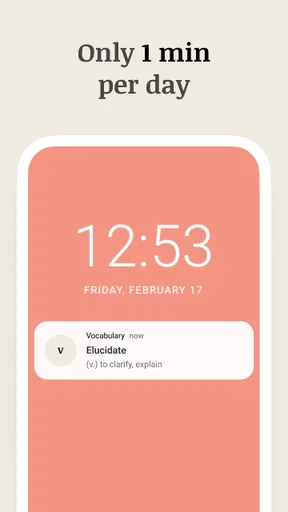
The word-of-the-day alert can be a helpful reminder, but notifications are not automatically helpful for every sensory or attention need. If a prompt interrupts work, sleep, or a quiet environment, I’d turn off or limit the alert using the options available on the device and open the app at a time I choose. The original review notes limited notification customization, including a desire to set a specific alert time, so people who rely on precise scheduling may prefer a calendar reminder or a different study routine.
Situational access and practical use
This is most convenient when you have a spare minute and a phone within reach. A commute with a seat, a short wait before an appointment, or a quiet break at home can all work well; a crowded walk or a noisy task is a poor time to absorb a new definition. I would not make the app’s daily prompt compete with something that needs my eyes or attention. The format is brief, but learning still works best when I can focus on the word rather than merely dismiss a notification.
Compared with flashcard apps, this experience is less about building and organizing a personal deck from the ground up. Compared with a dictionary, it gives a more guided daily prompt and a quiz-oriented reason to revisit a term, while a dictionary remains better when I need to check a word I have just encountered in a book or conversation. Neither approach does everything: if your goal is exam preparation, specialist terminology, or learning another language through grammar and conversation practice, a dedicated course or carefully made flashcards will likely give you more control.
Who will get the most from it
I’d point casual readers, students who want a light supplementary habit, and word lovers who enjoy a quick daily challenge toward this app. Its average rating is 4.7 from around 94,000 ratings, and it has more than 5 million installs, which suggests it has reached a wide audience; those figures are context, not proof that its particular learning style will fit you. It was released on February 23, 2016, and its broad Everyone age rating makes it easy to consider for a range of learners, with the usual adult guidance around purchases for children.
I’d be more cautious if you want a fully adjustable study plan, rigorous tracking of long-term recall, or lessons organized around a specific profession or exam. A daily word can add variety to reading, but exposure alone does not guarantee that you will remember a definition weeks later or know how to use a term naturally. If retention is your main goal, keep a small list of words you genuinely want to use and review them in your own sentences, rather than judging progress only by how many daily sessions you complete.
Getting Started with Vocabulary
First things first, let's talk about getting started. The setup is a breeze. Once you download Vocabulary - Learn words daily, you're greeted with a clean and intuitive interface. The app asks you to set your daily learning goals. Whether you're aiming for one word or five, it lets you tailor the experience to fit your schedule. I found this super handy because, let's face it, life can get busy!
Features That Stand Out
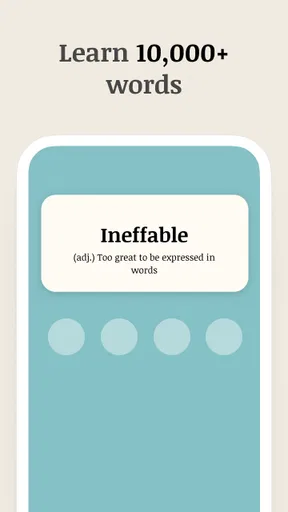
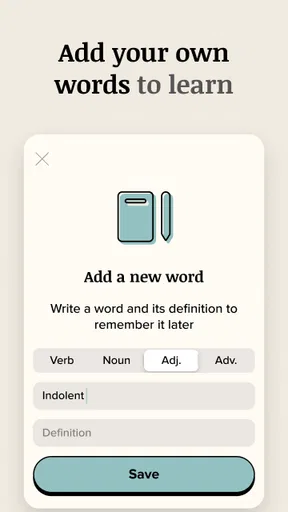
The app is packed with features that make learning new words a breeze. One thing I absolutely love is the word of the day notification. It's like a little surprise waiting for you each morning! The app provides a detailed definition, pronunciation guide, and even context sentences to help you get the hang of each new word. Plus, there's an option to save your favorite words for quick access later. Handy, right?
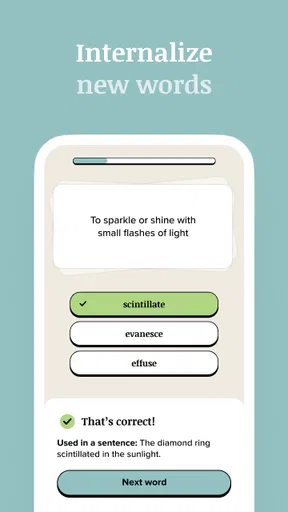
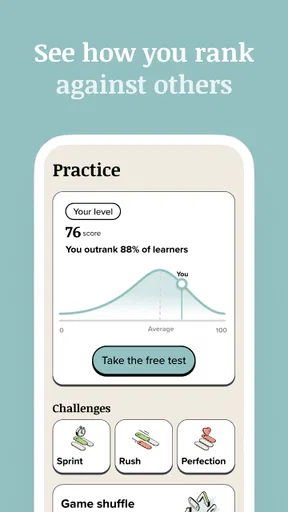
Another feature worth mentioning is the quiz section. You can test your knowledge with fun, interactive quizzes that reinforce what you've learned. I found these quizzes to be a fantastic way to ensure the words stick. And let’s not forget the streak system. Keeping up with your daily words earns you streaks, giving you that extra nudge to stay consistent.
User Experience
Now, let's talk about the user experience. The app's design is sleek and minimalistic, making it easy to navigate. Everything is just a tap away, and there are no unnecessary bells and whistles to distract you from your learning journey. The app runs smoothly, and I didn’t encounter any glitches or crashes, which is always a plus in my book.
One small thing, though: I wish there were more customization options for notifications. It would be awesome to set specific times for word alerts. But hey, it's a minor gripe considering the overall package.
Final Thoughts
All in all, Vocabulary - Learn words daily is a fantastic choice for anyone looking to enhance their vocabulary. It's user-friendly, effective, and engaging. Whether you’re a student, a professional, or just someone who loves words, this app has something for you. So, why not give it a go? You might just find yourself looking forward to your new word each day!
Give it a whirl and watch your vocabulary grow!
Pros
- User-friendly interface for easy navigation.
- Daily reminders to keep learning consistent.
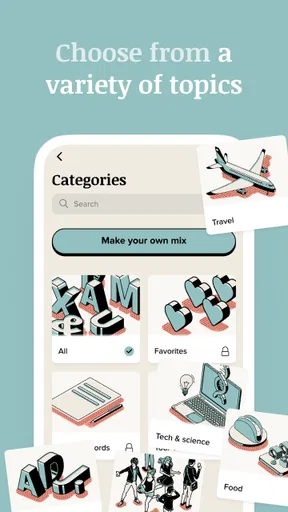
- Wide range of vocabulary categories.
- Offline access to words and definitions.
- Interactive quizzes to test knowledge.
Cons
- Limited free content without subscription.
- Ads can be intrusive during sessions.
- No option for personalized word lists.
- Requires internet for full functionality.
- Interface lacks customization options.
FAQs for Vocabulary - Learn words daily
What is Vocabulary - Learn words daily, and how does it work?
Vocabulary - Learn words daily is an educational app designed to enhance your vocabulary by introducing new words each day. The app provides definitions, usage examples, and pronunciation guides. Users can track their progress and engage in quizzes to test their knowledge. It's ideal for students, professionals, or anyone looking to improve their language skills.
Is Vocabulary - Learn words daily suitable for all age groups?
Yes, the app is suitable for a wide range of age groups, from young learners to adults. It offers different difficulty levels, making it adaptable for beginners as well as advanced users. The content is curated to ensure that it is appropriate and beneficial for various learning stages.
Are there any in-app purchases or subscriptions required?
Vocabulary - Learn words daily offers a free version with basic features. However, there are in-app purchases available for premium content, such as advanced lessons, additional word packs, and an ad-free experience. Users can choose to subscribe monthly or annually to unlock these features.
Can I use Vocabulary - Learn words daily offline?
Yes, the app allows you to download word packs and lessons for offline use. This feature is particularly useful for users who want to continue learning without an internet connection. However, some features, like quizzes and progress tracking, may require online access to function fully.
How does Vocabulary - Learn words daily handle user data and privacy?
The app adheres to strict privacy policies to ensure user data is protected. Personal information is collected only for account creation and progress tracking. The app does not share data with third parties without consent, and users can access and manage their data through the app's settings.


